


【3D Printing Applications】Snapmaker Single Extruder, Dual Extruder, IDEX Independent Dual Extruder: Pros and Cons Overview and Comparison
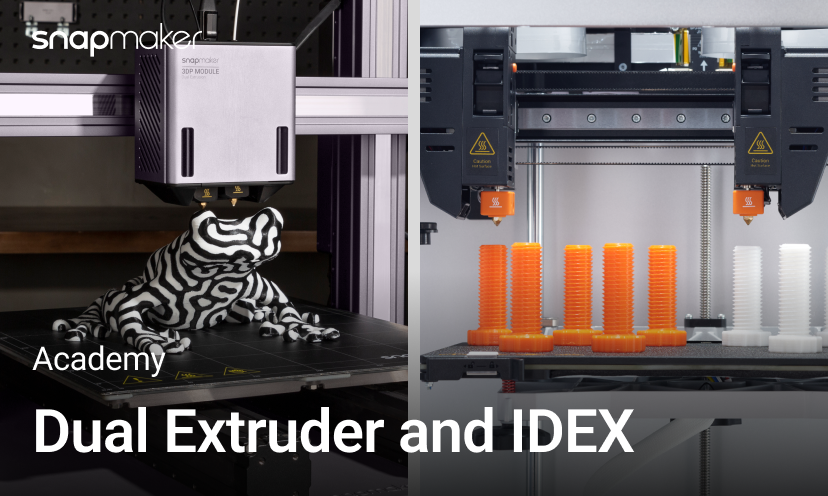
Most 3D printers have only one extruder, while some have two. Which is better, a single or dual extruder? If you have a generous budget, two extruders are generally better than one. In fact, dual-extruder 3D printers have become increasingly common in recent years, and are even trending towards replacing single-extruder printers.
Why are dual-extruder 3D printers becoming a trend?
Two-color or multi-material printing
Dual extruders can use two different colors or types of filament on the same print, allowing for more complex and colorful printed objects.

Snapmaker Dual Extrusion 3D Printing Module installed on a Snapmaker 2.0
Two-color printing is not uncommon. Even with a single extruder, similar results can be achieved by manually changing the filament. However, if you want to use two different materials on the same object, such as printing a flexible/rigid combination object using ABS and TPU, manually changing the filament can be very troublesome, and due to different optimal settings for the two materials, it can easily lead to print failure. Instead of taking the risk and effort, it's better to print them separately and then bond them together.

In contrast, when using a dual-extruder printer, you can directly set different parameters for each extruder in the slicer software to complete dual-material printing in a single print job.
Breakaway or PVA support pairing
Breakaway support materials are formulated with lower interlayer adhesion and mechanical brittleness, allowing them to be removed with minimal force. Being able to easily print removable (or "breakaway") supports is perhaps the main reason most people purchase dual-extruder 3D printers. If time is limited, Breakaway is easier to remove than PVA supports, while maintaining the dimensional accuracy of the printed object and a high-quality surface finish.

Breakaway support material
Soluble materials can be dissolved in water or other solvents. The most commonly used is PVA (polyvinyl alcohol). It is very sensitive to moisture and decomposes when exposed to water. This property allows it to be used as a support material, filling in some hard-to-reach geometries and allowing liquid to flow into them. After printing is complete, the print is immersed in water, and the support material dissolves, leaving a smooth printed surface.

Additional features
Dual extruders can also enable additional features, such as backup mode. In single-extruder printing, if an extruder malfunctions or clogs, or runs out of filament, the other idle extruder can take over and complete the remaining print. This improves overall uptime and reliability.
Better performance in slicing software applications
Building a dual-extruder system by duplicating parts is mechanically simple, but the real challenge lies in the software. The popularity of dual extruders goes hand in hand with improvements in slicing software. Slicing algorithms are better at planning optimal toolpaths for dual extruders to minimize movement and retraction. They also excel at allocating different model parts to be printed by each nozzle, maximizing utilization and minimizing idle nozzles. Advances in software have made dual extruders more user-friendly and reliable, leading to wider adoption.
Disadvantages of dual extruders
As the 3D printing industry evolves, today's desktop printers are more affordable and easier to use. Dual extruders have also become a common feature in many budget-friendly products, allowing more users to experience the benefits of dual printing. However, dual extruders also have some drawbacks:

Source: Simplify3d
• Cross-contamination and collisions: In dual-color printing, the idle extruder may ooze material due to residual heat, causing contamination when moving across the printed part, or even colliding with the printed part if the nozzle is too low.
• More maintenance: Two hot ends mean twice as many parts to inspect, clean, and replace in case of jams or clogs.
• Relatively smaller build volume: Since the extruder itself occupies a certain length on the X-axis, dual-extruder printers have a smaller build volume than single-extruder printers of the same frame size. This is especially noticeable when upgrading from a single extruder to a dual extruder.
The disadvantages of maintenance and build volume may be unavoidable, but cross-contamination and collisions can be resolved. The most common method is to set retraction in the slicer, temporarily reversing the filament in the extruder during movement to prevent oozing.
Another method is to use a purge tower – printing another object alongside the main print, providing a place for the oozing or leaking inactive nozzle to purge material instead of on the print. Similar solutions include ooze shields, which surround the printed part, and any oozed material is wiped off on the shield as the nozzle approaches the printed part.

Ooze shield (Source: IceSL)
Some printers also have a wiping mechanism installed directly on the machine, at the same height as the nozzle, so that the nozzle can wipe off any residue as it passes over it. Simple and practical.

Snapmaker J1s nozzle wiping mechanism

Automatic nozzle lifting device of Snapmaker Dual Extruder Module
Finally, there is an ultimate solution - IDEX (Independent Dual Extruder) 3D printers. As the name suggests, two extruders can move independently. When one extruder is printing, the other can remain inactive in a corner without heating. When both extruders are active, they can print independently without interfering with each other. However, to further reduce the impact of oozing, IDEX printers can still use wiping devices, retraction, purge towers, etc., during dual-extruder printing.

Independent vs. Dependent Dual Extruder Systems
Compared to ordinary dual-extruder modules, IDEX offers some advantages but also presents some challenges for manufacturers and users.

Snapmaker J1 printing in Duplicate Mode
Advantages
• Minimal contamination and collisions: In dual-extruder printing, the idle extruder rests in a corner instead of moving with the active extruder. Before the next print job, the extruder can use a wiping device or purge tower to wipe off any oozed material. Therefore, IDEX can effectively eliminate oozing contamination and collision issues.
• Mirror and duplicate printing: IDEX printers can print two mirrored or identical objects simultaneously, doubling productivity. This is very useful for mass production of small objects such as chess pieces.
• Lighter weight, higher accuracy: Compared to mechanically connected dual extruders, a single extruder on an IDEX printer is lighter, moves faster, has less floating mass, and offers higher accuracy.
Disadvantages
• More difficult to manufacture: Precisely aligning independent extruder carriages and nozzles requires strict manufacturing and assembly tolerances.
• More difficult to calibrate: Calibration is one of the biggest challenges in IDEX printer design. Two independent extruders not only need to be calibrated with the bed but also with each other on the X, Y, and Z axes. Poor calibration can lead to cracks or even print breakage due to poor layer adhesion.
• Higher cost: IDEX not only has higher software development costs, but also requires independent or semi-independent motion systems in terms of hardware, including motors and brackets for each extruder. If they don't share an X-axis, additional linear guides, lead screws, or belts are also needed. These factors mean that IDEX printers typically cost more than ordinary dual extruders.
How to choose between single extruder, dual extruder module, and IDEX independent dual extruder
Here are some things to consider when making your choice:
Single Extruder
• Simplest and most cost-effective option
• Easier to calibrate and maintain
• Limited to single-color/material prints
Dual Extruder Module
• Can perform two-color or two-material printing without significant filament waste
• Allows for dissolvable and break-away supports
• Higher cost than a single extruder
• Potential collision risks and idle oozing issues
• More difficult to calibrate
IDEX Independent Dual Extruder
• Prints identical or mirrored objects twice as fast
• Two-color or material printing with minimal filament waste
• Allows for dissolvable and break-away supports
• Minimal collision or oozing risk
• Highest cost and requires calibration
Generally, for most amateur printing, a single extruder is sufficient. If you want to perform two-color printing or have easier removal of supports, you should consider a dependent dual extruder. For advanced applications or speed, if your budget allows, an IDEX system might be ideal. I hope you find the dream printing method for you!
- Contact Us -
3DMart offers more than just 3D printing, we provide three main outsourced services: "3D Printing Service", "3D Scanning Service", and "3D Spatial Scanning Service."
Follow our fan page for new updates:
Facebook : https://www.facebook.com/3dmart.com.hk/
Instagram : https://www.instagram.com/3dmart
LinkedIn : https://www.linkedin.com/company/3dmart/
Reference