


Join the "Make for Good" Accessibility Design Contest: Using 3D Printing to Solve Real-World Accessibility Needs
Everyone deserves tools that make daily life a little easier. MakerWorld's "Make for Good: Accessibility Design Contest," in collaboration with 7 partner organizations, has curated 24 design needs derived from the real-life experiences of people with disabilities. We invite creators worldwide to transform these needs into practical, printable, and truly usable solutions.
You can now find these partner organizations on MakerWorld! Learn about their work and accessibility design initiatives.
This is not a design contest just for "looks"
Make for Good: Transforming real accessibility needs into designs that actually work.
MakerWorld and our 7 partner organizations have provided a total of 24 Design Briefs. Each brief includes user requirements, the problem to be solved, key design requirements, and reference materials.
Official notice: Behind every Design Brief, there is a real user waiting for tangible help.
24 Design Briefs: You must choose one for your entry
This is one of the most important rules of the contest: All entries must fulfill one of the 24 Design Briefs below. Entries that do not meet the specified brief will be disqualified and will not enter the final judging.
Additionally, you must include the Design Brief identifier in your model title, for example: SecondSock.
Toothbrush grip aid for those with limited hand strength
One-handed marker cap opener aid
Foot-operated bicycle helmet buckle aid
Hands-free dog waste collection and carrying tool
Accessible board game aid
Side-release buckle opening aid
Shower and hair care aid
Toe-operated toothpaste squeezer
Accessible board game for people with cerebral palsy
Fully mechanical reacher tool for limited grip
Mountable downhill speed control device for wheelchairs
Foot-operated, hands-free sock donning aid
One-handed knitting tool
Guitar playing aid
Customizable wheelchair storage system
Driven by accessibility, medical, and maker communities
Seven co-founding organizations of Make for Good
Partner organizations provide real user needs, accessibility design experience, and practical verification resources. Finalists will also undergo "Practical Validation" by our partner organizations with target users.
How to participate?
MakerWorld suggests participants upload their entries at least 24 hours before the deadline to avoid potential disqualification due to review times.
See the full contest process👇
Reminder: Check before submitting
- Your entry must correspond to one of the 24 Design Briefs and include the Brief identifier in the title. For example: SecondSock. Entries that do not meet these requirements will be disqualified.
- Each participant can submit a maximum of 5 entries in this contest.
- Entries unrelated to the theme will be removed; each violation will result in a deduction of 100 Points and consume one submission slot.
- If 2 entries are removed in the same contest, the participant will be disqualified; 5 violations will result in a 60-day ban from all contests.
- Old models published before the contest started, or models that have previously received a MakerWorld Design Contest award, are not eligible.
- AI-generated models are not eligible.
- Models uploaded as a "Remix" or "Share" are not eligible for awards.
- Participants must provide accurate model information and cooperate with partner organizations for Practical Validation when required.
- Being "Shortlisted" does not guarantee a final award. Final winners are determined by results from practical verification with partner organizations and users.
- Entries must be original or legally authorized and must not infringe on the intellectual property or other legal rights of third parties.
Don't know how to start? Check the official design toolkit for inspiration
PrintLab Make:able Challenge Toolkit
Provides a complete Human-centred Design process, guiding participants from understanding real users to developing assistive technology solutions step by step.
Access Code: MAKEABLE26
Open Make:able ToolkitMakers Making Change|OpenAT Resources
Provides design guidelines, resources, Maker Guides, Bill of Materials, User Guides, and other practical templates for open-source assistive technology.
Material Tip: Many entries will come into direct contact with the human body. We strongly encourage the use of flexible materials such as TPU 85A, 90A, or 95A for grip or contact points to improve comfort and fit the user's needs better.
How is it judged? Real users participate in verification
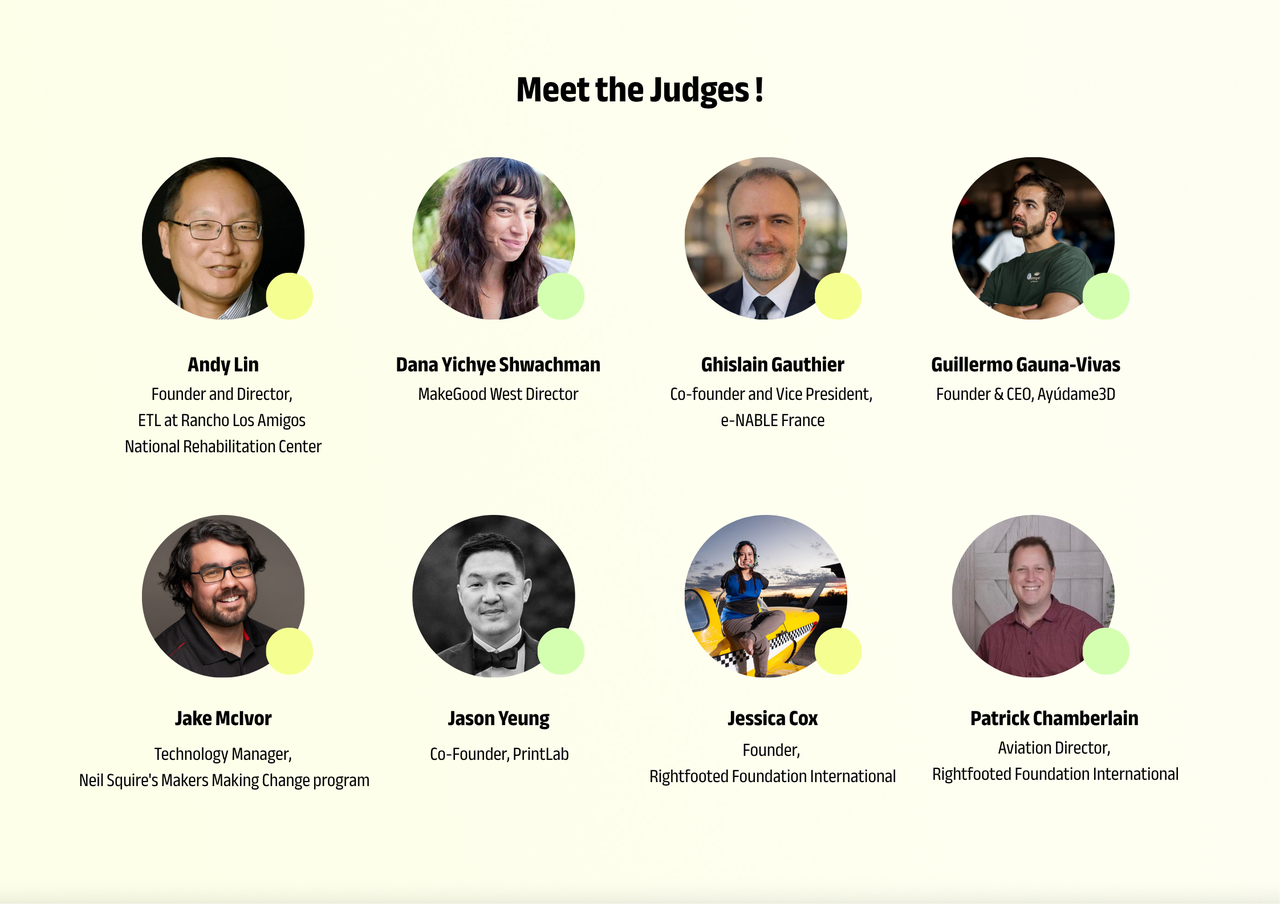
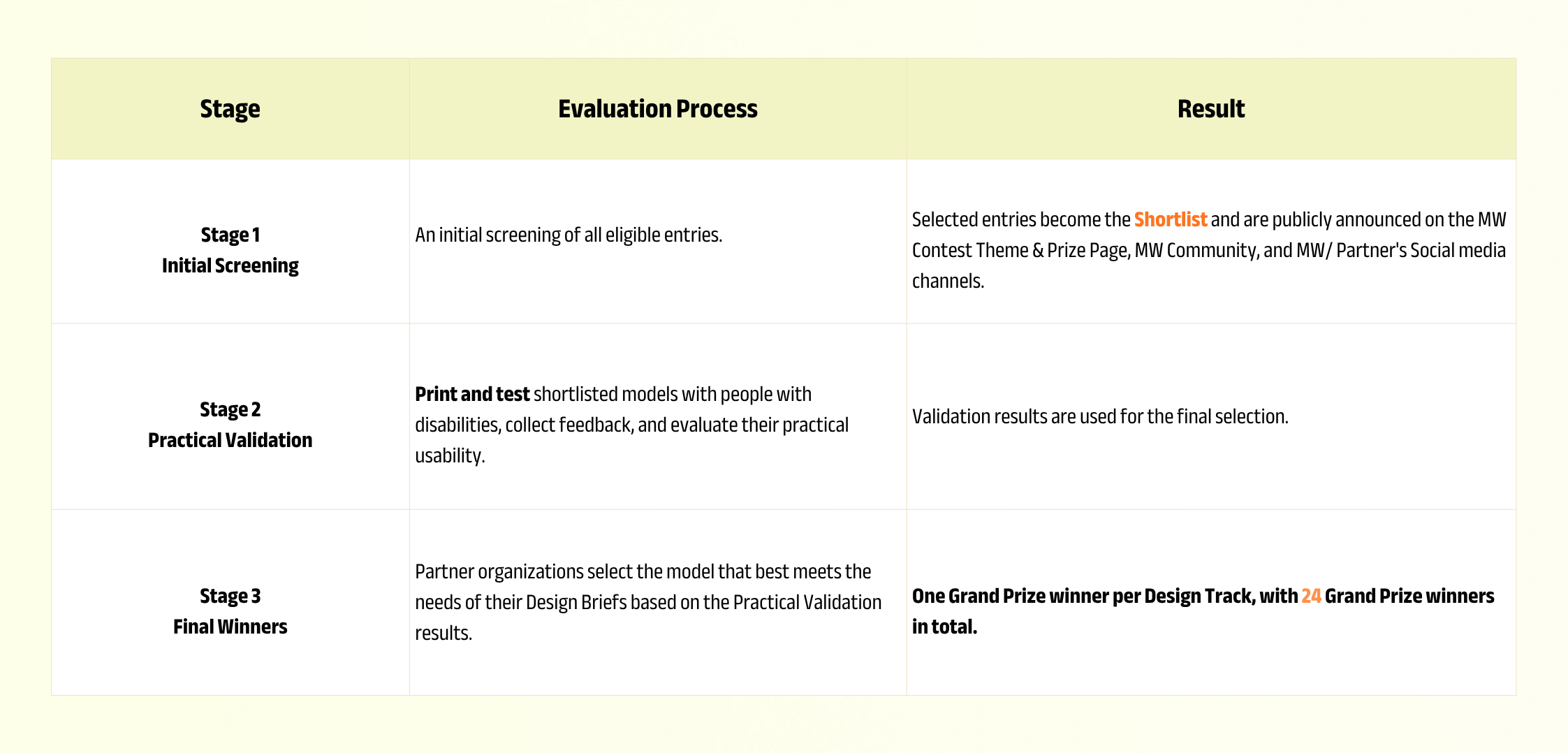
Stage 1|Initial Screening
- Relevance: Does it truly address the accessibility needs of the chosen Design Track?
- Functionality: Is it effective in solving the problem and does it provide practical value?
- Innovation: Is it original and does it leverage the advantages of 3D printing?
- Printability: Can it be reliably printed on an FDM 3D printer?
- Completeness and Quality: Are the design, images, and necessary print, assembly, and usage instructions complete?
Stage 2|Practical Validation
Shortlisted entries will be tested practically by participating non-profit partner organizations with target users.
Specific scoring criteria may vary by Design Track, but final results will focus on three things: Is it practical, is it effective, and does it truly solve real-world accessibility needs?
Final winners will be selected based on the results of the Practical Validation.
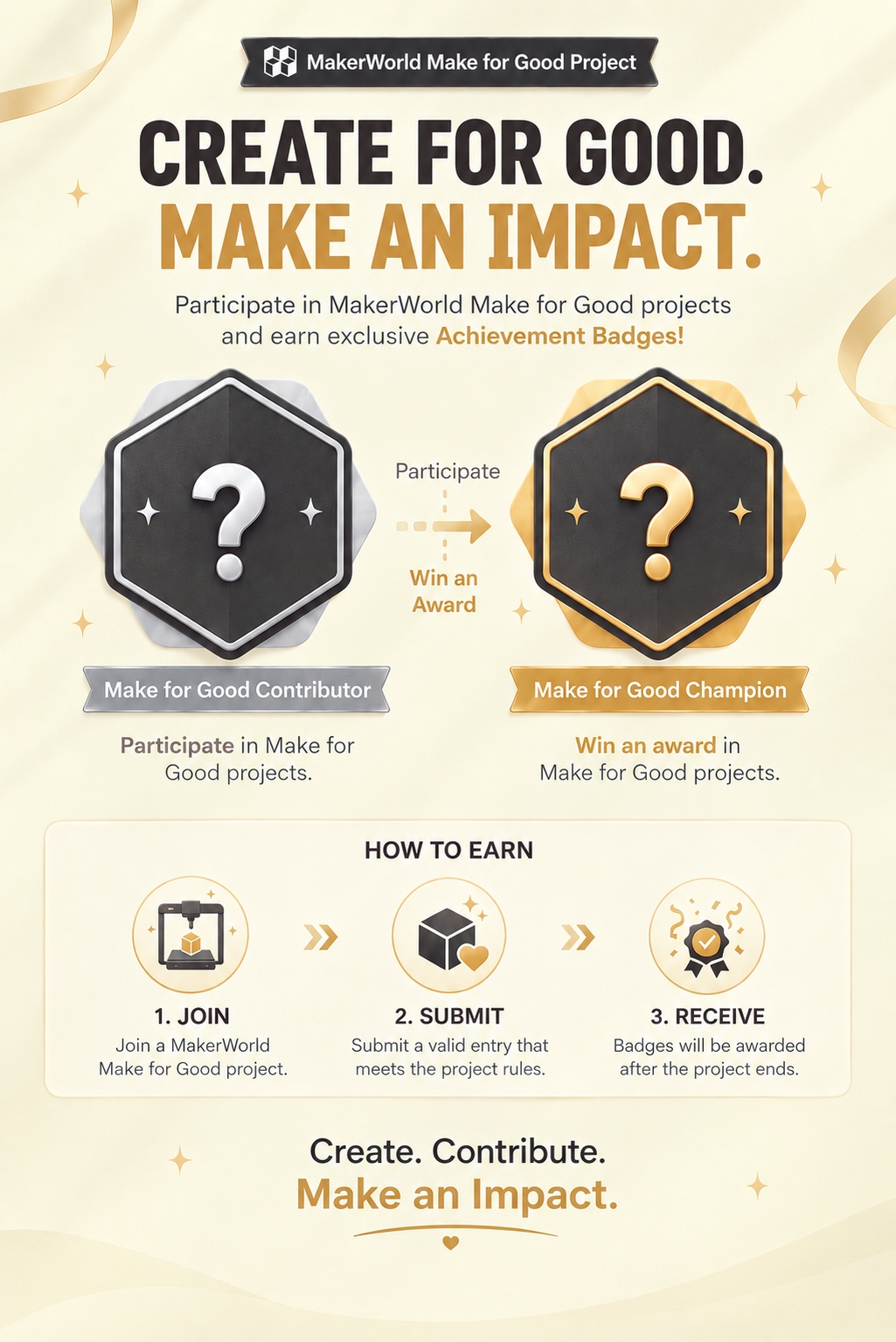
Make for Good Badge
MakerWorld will introduce an exclusive Make for Good Badge to recognize participants for their contributions to improving accessible living.
Community & Social Media Spotlight Award
New Award Upgrade: S1 3D Scanner added to the prize pool
3 winners, each winning a Bambu Lab S1 3D Scanner
MakerWorld has officially added the S1 Special Award. This award will select 3 winners, each receiving a Bambu Lab S1 3D Scanner.
We are looking for designs that best leverage 3D scanning capabilities to solve real accessibility needs.
Why is 3D scanning so important for accessibility design?
3D printing turns digital designs into physical objects, while 3D scanning brings the real world into digital design. For accessibility products, these two technologies complement each other perfectly.
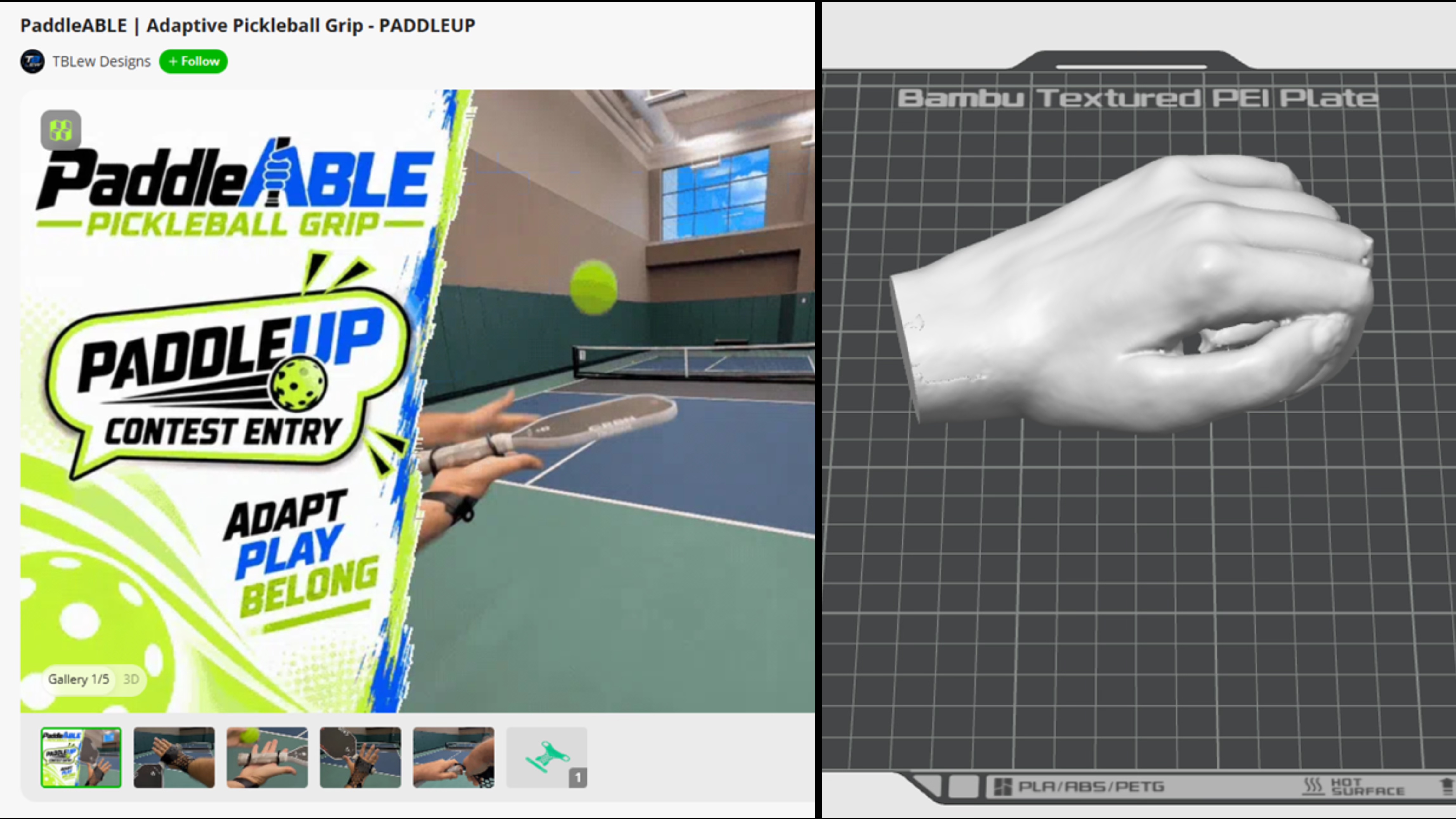
MakerWorld uses the PaddleUp Pickleball Paddle Holder as an example: For users with limited arm and hand strength, a precise fit is often crucial. If the user's hand geometry can be scanned, designers can stop guessing and create ergonomic, custom-fit assistive devices with much higher accuracy.
Whether it is scanning existing objects or obtaining geometry related to the human body, the S1 allows creators to start from real dimensions, transforming complex real-world problems into more precise designs that truly fit the user.
Complete Prizes: 621 winner and recognition spots
| Award | Spots | Prize |
|---|---|---|
| Grand Prize | 24 spots | 1 winner per Design Track, each receiving 1 Bambu Lab A1 Combo |
| Shortlist Award | 80 spots | 500 MW Points each |
| Make for Good Recognition | 500 spots | MakerWorld Achievements Badge |
| UGC Award | 14 spots | 100 MW Points each |
| S1 Special Award | 3 spots | 1 Bambu Lab S1 3D Scanner each |
MakerWorld will announce the results on December 18, 2026 (UTC). Winners will receive notification via the email associated with their MakerWorld account.
If a winner does not reply within 30 days of receiving the notification, they will be deemed to have forfeited their eligibility.
Contest Schedule
| Contest Period | Sept 16, 2026 – Nov 15, 2026 (UTC) |
|---|---|
| Review Period | Nov 16, 2026 – Dec 17, 2026 (UTC) |
| Results Announced | December 18, 2026 (UTC) |
6 Official design tips for participants
- Start with real needs. First, fully understand the user, context, and obstacles described in the Design Track.
- Prioritize actual function. The solution should be easy to use and suitable for real life, rather than just a concept display.
- Leverage 3D printing characteristics. This includes advantages like customization, adjustable design, and lightweight structures.
- Clearly demonstrate usage. Providing images of the actual printed piece and a demonstration of the intended use is highly recommended.
- Provide complete instructions. Include printing parameters, assembly instructions, and necessary usage guidelines.
- Design with verification in mind. Imagine how partner organizations and real users will test your work, and leave room for future improvements.
The next tool to change everyday life might just come from your 3D printer.
Choose a Design Brief that truly resonates with you, understand the user, design, print, test, and then put your work into the hands of those who truly need it.
This time, in addition to making a real impact with your design, you also have the chance to be one of the three S1 Special Award winners.
Go to MakerWorld to Enter the Contest View S1 Special Award Announcement Learn about Bambu Lab S1